Connect content for tracking and follow-ups
You can add a note directly to a file within the Personal or Organization workspace. This captures context-based information and automatically adds it to My Notes in My Space.
Add a note from a file
- Go to your Personal or Organization workspace.
- Locate a table row with a file.
- Click the **More options*8 icon (three dots).
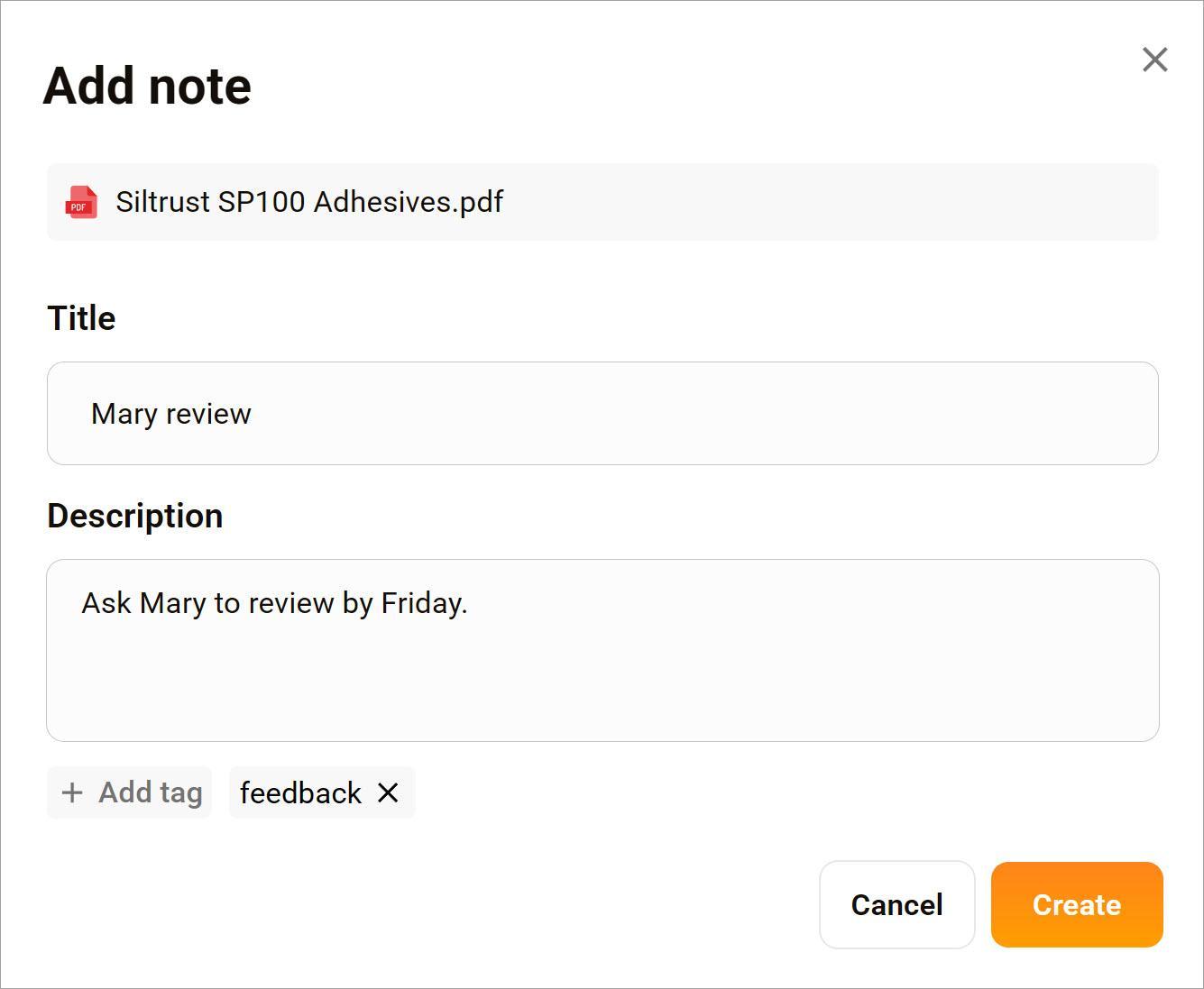
- Select Add note. A pop-up displays.
- Enter a title and description.
- Add at tag. (required)
- Click Create.
Where your note appears
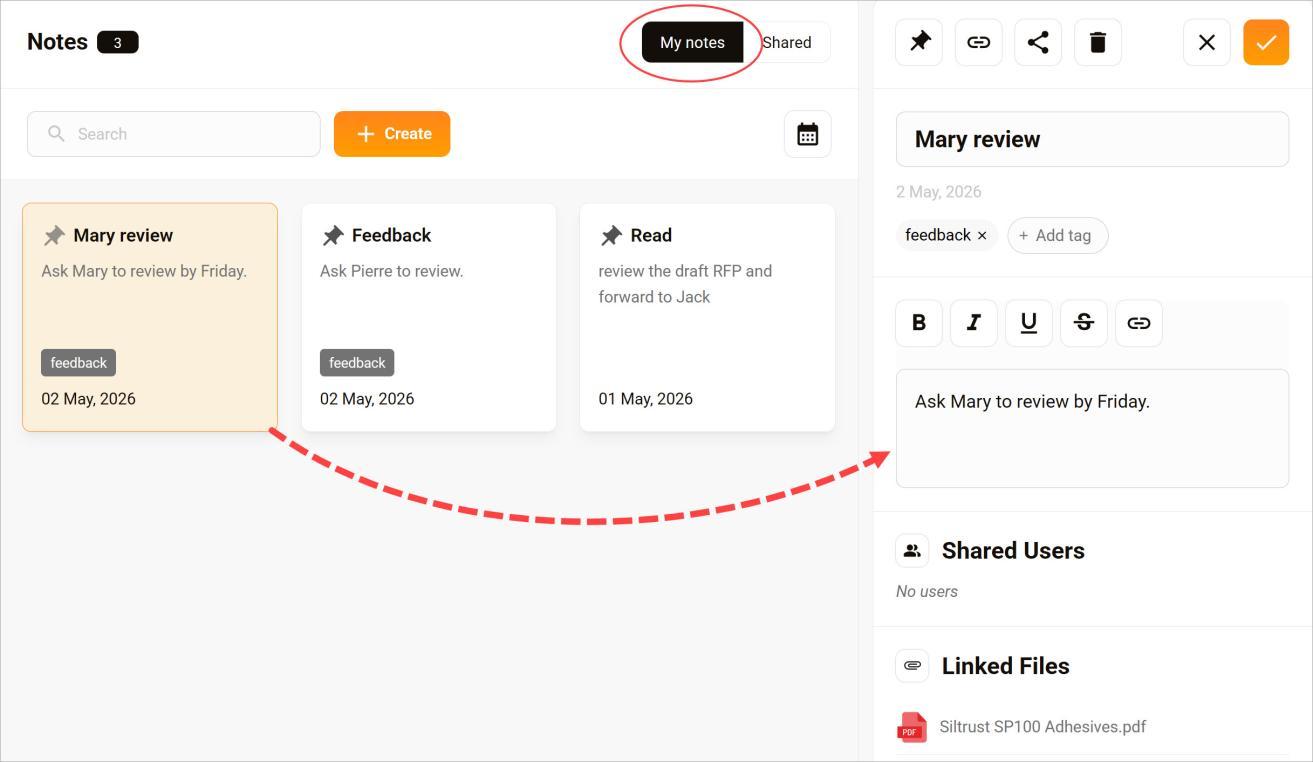
Once saved, the note appears on the Quick Notes > My Notes page. Click the note card to open a side panel and review details or make changes.
Edit or manage your note
From My Space, you can:
- Update content
- Attach additional files
- Share with other users
- Delete when no longer needed
Updates appear for all users with appropriate permissions.