Access key actions
Use the More Options menu (three dots) to view and perform available actions on a file. The options in this menu allow you to manage, organize, and interact with your files directly from the workspace.
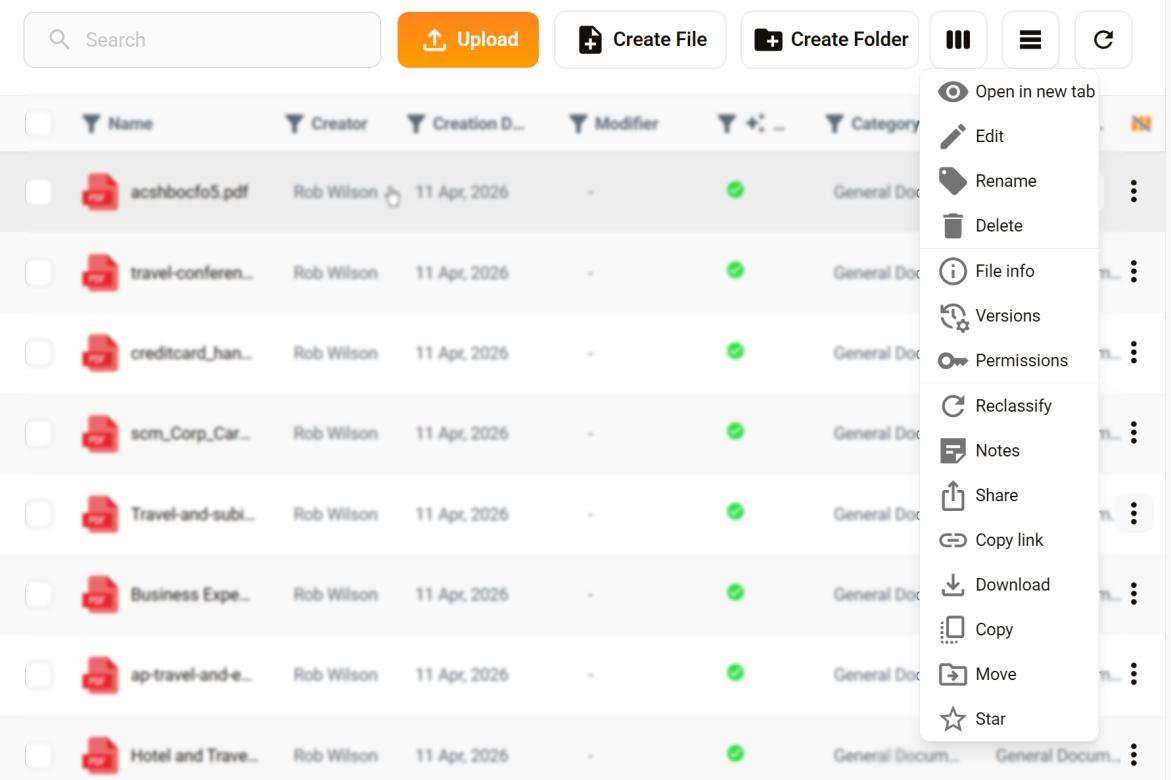
Menu options
Open in new tab
Open the file in a new browser tab, so you can continue working without leaving the current page. Select this option to view saved chats associated with a file.
Edit
Opens the file in Edit mode. You must install the AuraSync app to edit files.
Rename
Changes the file name without affecting its content.
Delete
Permanently removes the file from the system. This action cannot be undone.
File info
Displays file details such as size, type, owner, and last modified date.
Versions
Shows previous versions of the file and lets you view or restore them.
Permissions
Controls who can view or edit the file.
Reclassify
Changes the file’s classification or category for organization or compliance.
Notes
Add or view comments associated with the file. Notes are saved on the My Notes page.
Share
Grants access to other users or groups.
Copy link
Copies a direct URL to the file so you can share it.
Download
Saves a copy of the file to your device.
Copy
Creates a duplicate of the file.
Move
Transfers the file to a different folder or location.
Star
Transfers the file to a different folder or location.