Control access at scale
Permission Sets allow admins to bundle multiple access rights together and assign them to one or more users, groups, or roles. This makes it easier to manage who can view, edit, or manage content within an Organization Workspace. Admins can assign a Permissions Set to a file or folder.
🟧 You can edit Permission Sets. Click here to learn how.
Create a Permission Set
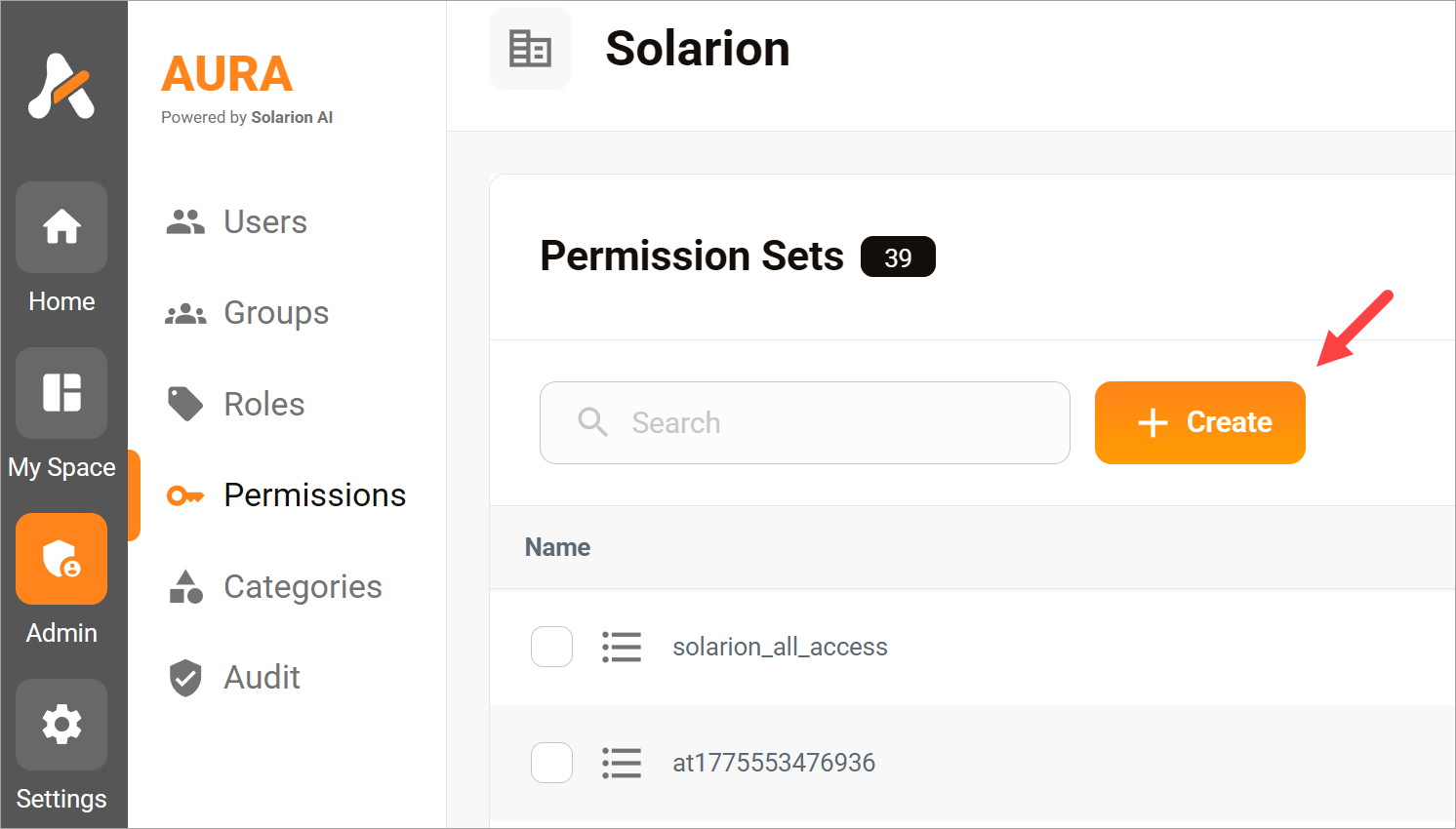
- Go to the side panel.
- Click the Admin button.
- Click Permissions in the sub-menu.
- Click the Create button on the Permissions Sets page.
Configure the settings
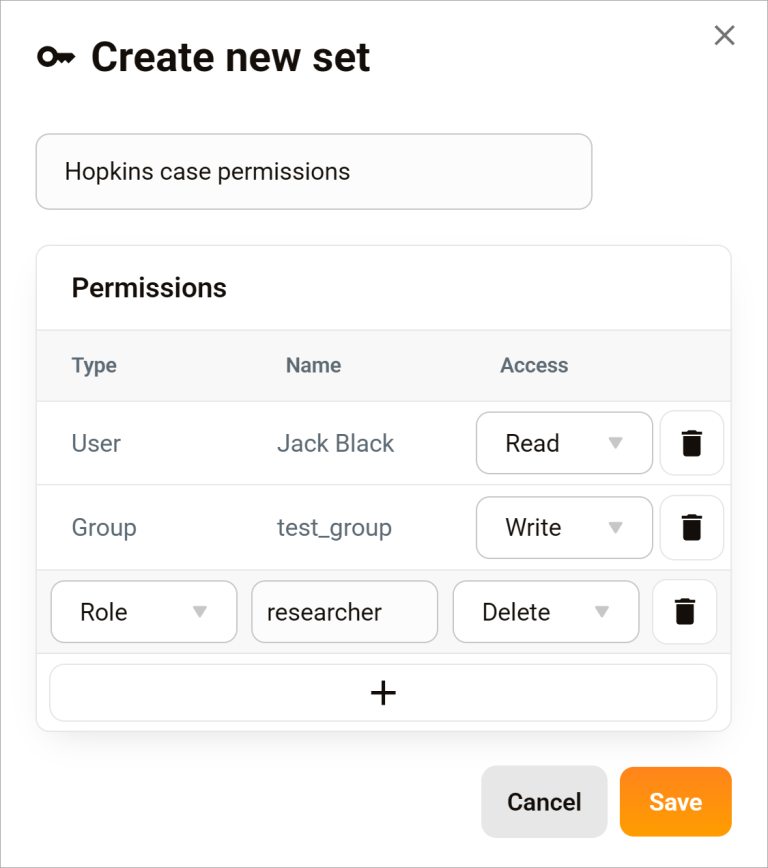
- Click a Type field.
- Select an option: Users, Groups (e.g. teams or departments), or Roles (e.g. Admin).
- Click the Name field.
- Select a value.
- Click the Access field.
- Select an option.
- Click Save.
Access options
Permission Sets are built from the following core permissions:
- Read: View files and folders. Users with Read permission can also download files.
- Write: Create and edit content.
- Delete: Remove files or folders.
- None: Select this menu option to disable a specific permission without removing it from the set.