Quickly return to files and folders
The Recent page displays files and folders you recently opened, edited, or uploaded within the account. Use this page to quickly access recent work without searching or browsing through folders.
The Recent page updates automatically as you interact with files and folders across the platform. Items remain in their original location and are not duplicated or moved when they appear on the Recent page.
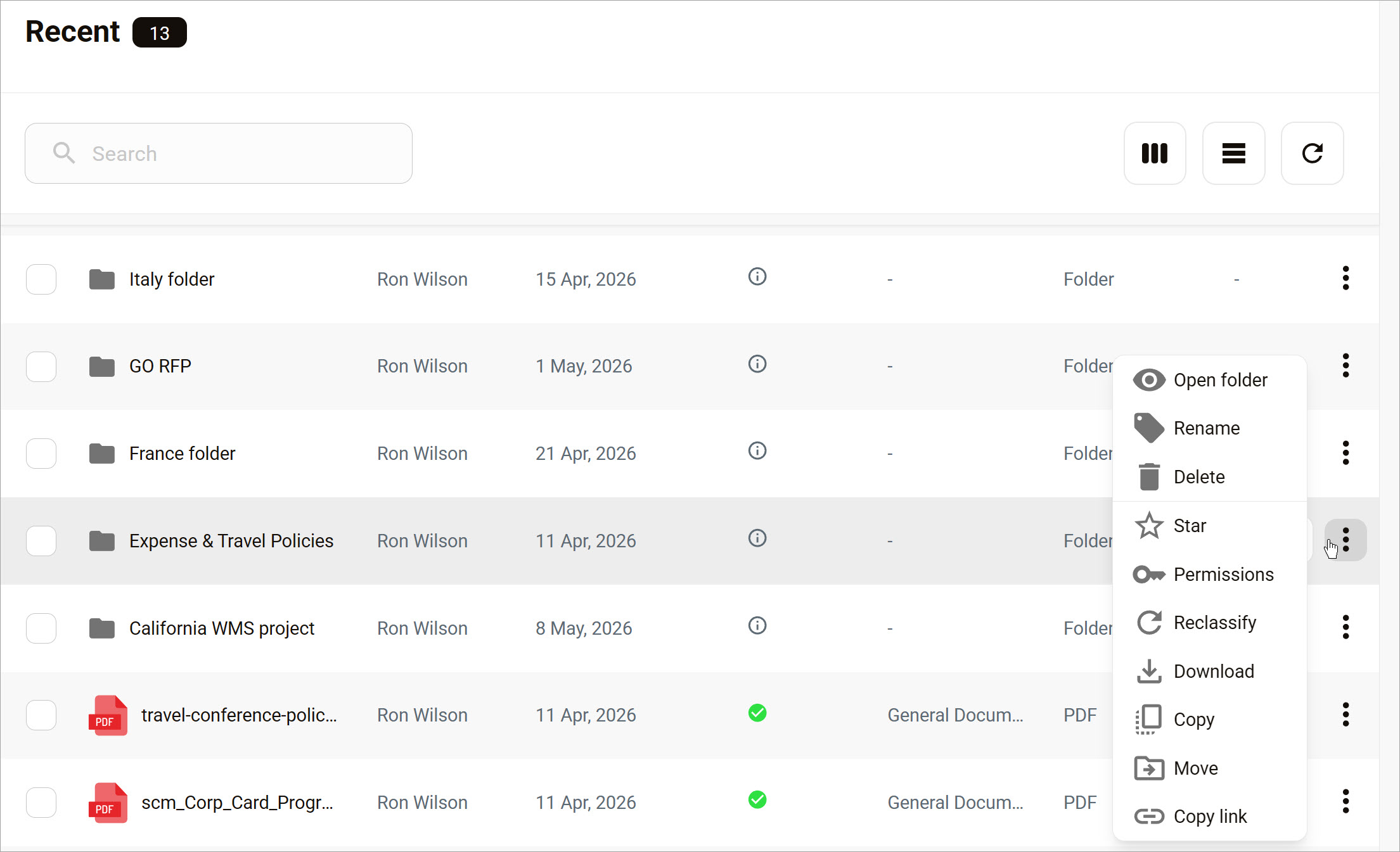
Open a recent item
To open the page, click Home > Recent.
On the Recent page, click a file or folder to open it directly. Opening an item from the Recent page does not change its original location.
Edit items
The same file and folder menu options available in the Personal and Organization workspaces are also available on the Recent page. You can perform actions such as:
- Rename files or folders
- Move items
- Share content
Changes made from the Recent page apply to the original file or folder location.