Restore or permanently delete items
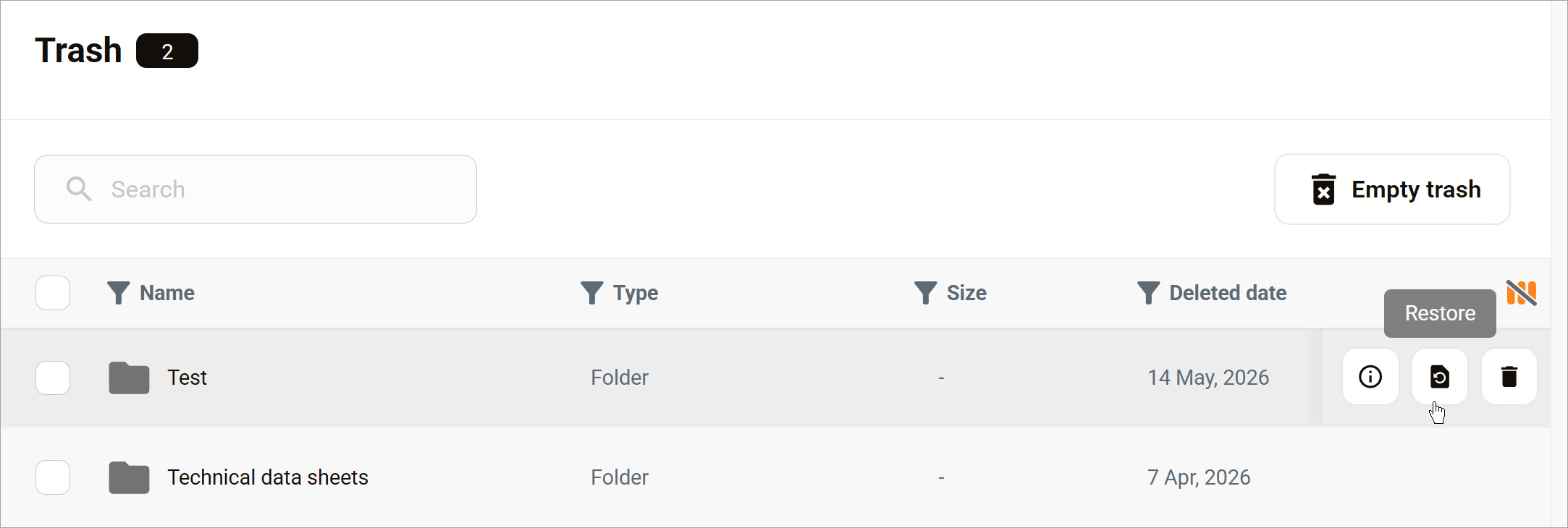
On the Trash page, you can manage items using three options. Hover a row to reveal the action menu.
Asset options
On the Trash page, you have three asset management options. Hover a table row to display a menu with three icons.
- File / Folder info: Display basic information including the date when the asset was deleted.
- Restore: Move the file or folder to its previous location.
- Delete: Permanently remove the asset from your organization. After you click Yes in the confirmation pop-up, the file or folder cannot be restored.
Bulk actions
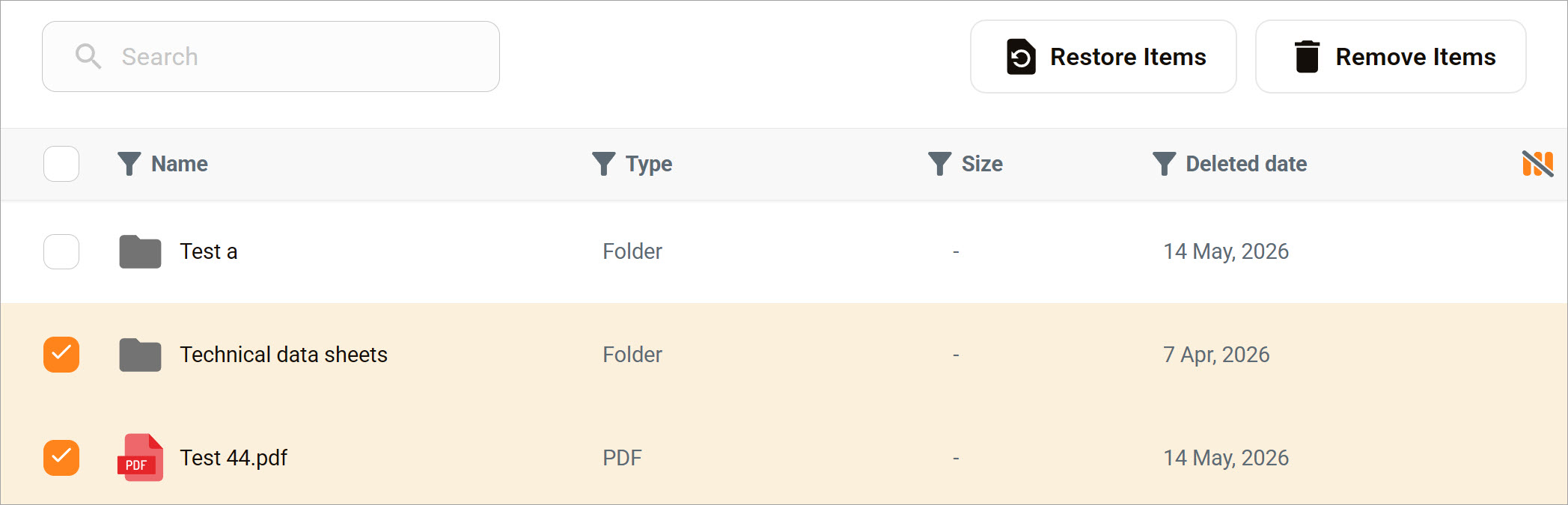
You can also manage multiple assets at once.
- Use the checkboxes to select two or more assets.
- Click the Restore items or Remove items button.