Remove the app
Learn how to uninstall the AuraSync app. Removing the app disables its features and prevents you from editing documents in your workspace. Make sure you no longer need this functionality before you proceed.
Option 1: Use your operating system
The quickest way is to use what your operating system already provides.
- Windows: Go to Settings > Apps & Features, locate AuraSync, and click Uninstall.
- MacOS: Open the Applications folder and drag the AuraSync app to the Trash.
Option 2: Use the app
You can also uninstall directly through the AuraSync installer. This method runs the app's own removal process, which may do a more thorough job of cleaning up its files.
- In the top-right corner of the workspace, click the Install AuraSync button.
- Open the download window and select the AuraSync file.
- In the pop-up window, select your operating system (Windows or macOS).
- Click Download and wait for the file to finish downloading.
- Launch the installer and click Run anyway.
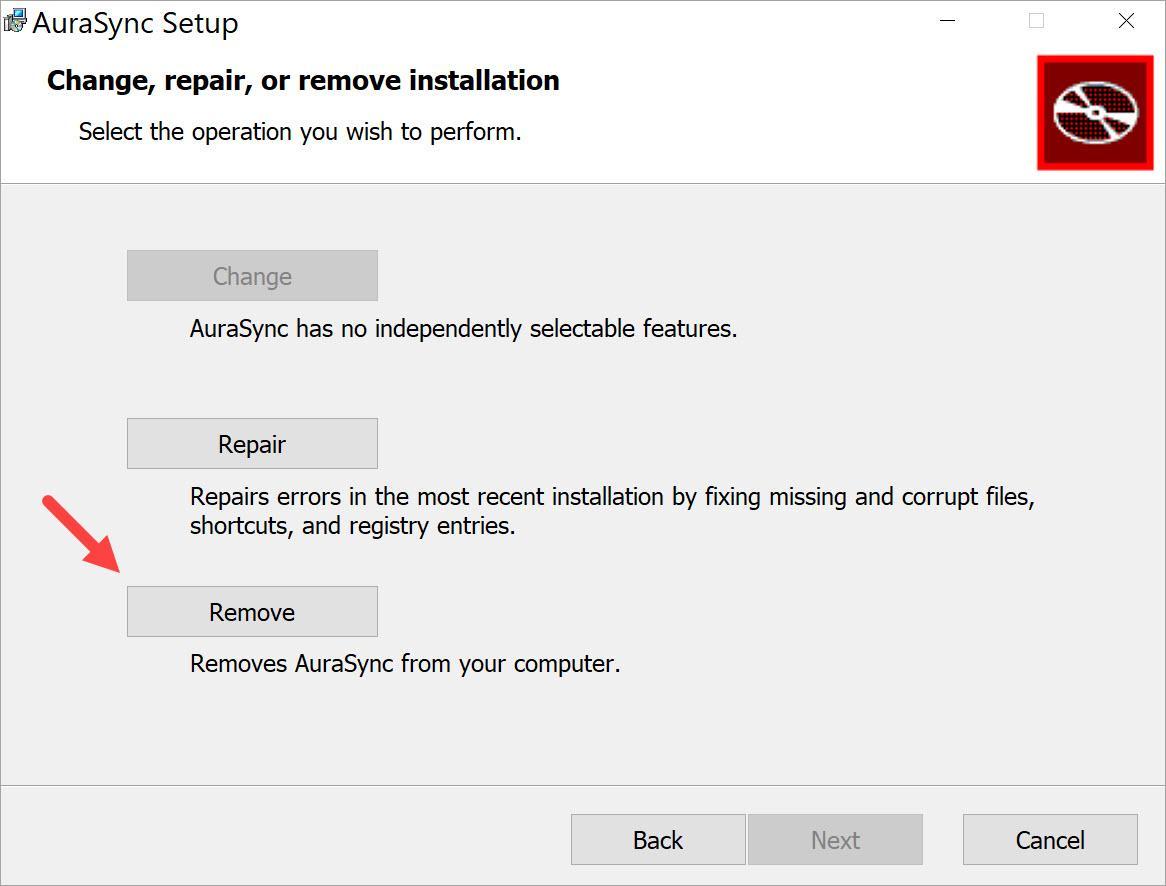
- On the menu screen, click Remove.
- Confirm by clicking Remove on the next screen.
- After the process is complete, click Finish.